
TrendTrack Brand Tracker: Spy on Competitors Daily
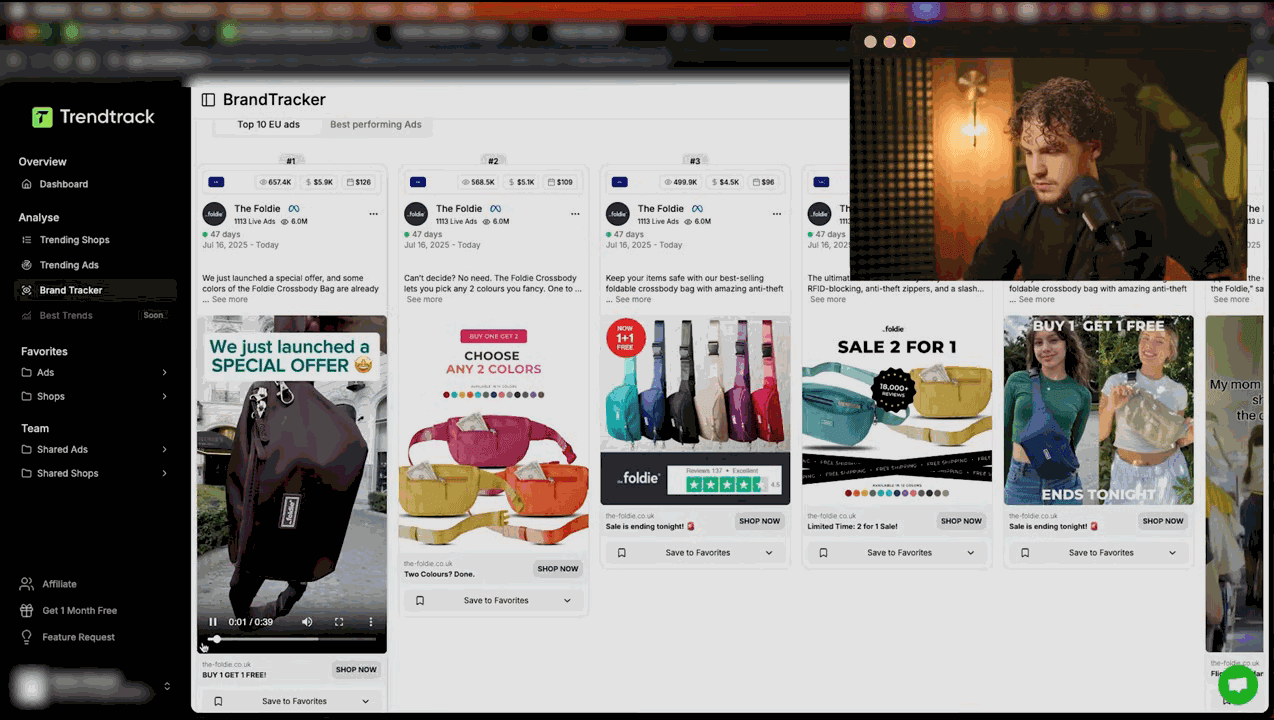
What Is TrendTrack Brand Tracker and Why You Need It
Product research tells you what to sell. Brand Tracker tells you how your competitors are selling it. It is TrendTrack's dedicated competitor monitoring feature that lets you follow specific brands and track every move they make - new ads launched, creative formats tested, traffic changes, and spending patterns.
If you are running an e-commerce business and not monitoring your competitors' advertising, you are flying blind. Brand Tracker removes the guesswork and gives you a live dashboard of competitive intelligence. If you have not read our full TrendTrack review yet, start there for a complete overview of the platform.
Adding Brands to Your Tracker
To start tracking a competitor, you add their Facebook page to your Brand Tracker. Here is an important detail many users miss: one Shopify store can have multiple Facebook pages. Large e-commerce operators often run ads from different pages to test audiences, target different countries, or A/B test brand identities. Always check if the store you are tracking has more than one page. You can find additional pages in TrendTrack's shop analysis view. For a refresher on how to evaluate the stores you find, see our winning products guide.
Add all relevant pages for each competitor. This ensures you see their complete advertising picture, not just a partial view.
The TrendTrack Brand Tracker Dashboard
Once you have added brands, your dashboard shows a table with the following columns:
- Brand: The name and logo of the tracked Facebook page
- Added: When you started tracking this brand
- Ads (Active/Inactive): Current count of active ads and total inactive ads. A sudden spike in active ads means the brand is scaling or testing a new product.
- Formats: The mix of ad formats (video, image, carousel) the brand is using
- New Ads: Number of new ads detected since your last visit. This is your early warning system for new product launches or creative tests.
- Traffic: Estimated monthly traffic to the brand's Shopify store
Sort by any column to find the most active, fastest-growing, or most recently updated brands in your tracker.
Want to try this yourself? Start a free TrendTrack account →
The Ad Library Tab
Click into any tracked brand to access its full ad library. This shows every ad the brand has ever run that TrendTrack has detected. You can sort by:
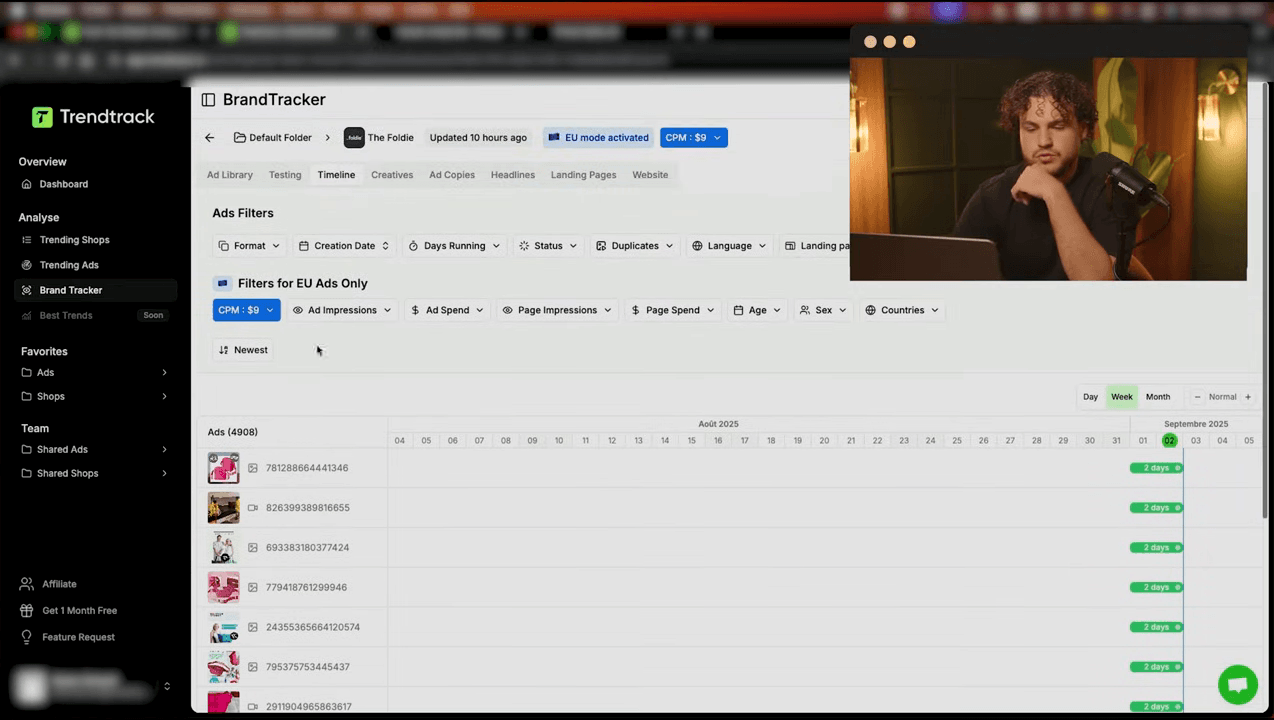
- Impressions: See the highest-performing ads first. This immediately tells you which creatives are winners. For advanced sorting and filtering techniques, check our complete filters guide.
- Creation date: See the newest ads first. Track what they are testing right now.
- Status: Filter for active-only to see current strategy, or inactive to study what failed.
The ad library is where you do your deepest competitive analysis. Study the winning ads frame by frame. Note the hooks, the structure, the offers, the landing pages.
Ad Media Mix
Brand Tracker breaks down each competitor's creative strategy by format:
- Video ads: What percentage of their ads are video? Successful e-commerce brands typically run 70%+ video.
- Image ads: Static images for retargeting or simple product shots.
- DCO (Dynamic Creative Optimization): Automated creative combinations. Brands using DCO are letting Meta's algorithm mix and match their creative elements.
Understanding a competitor's media mix tells you where they are investing and what format is working for them. If they shifted from 50% video to 90% video over the past month, video is clearly outperforming for their product.
Top Landing Pages
Brand Tracker shows which landing pages receive the most ad traffic. This reveals:
- Which products the brand is pushing hardest
- Whether they use dedicated landing pages or send traffic to collection pages
- If they are running any special offers or bundles
Visit these landing pages yourself. Study the layout, the copy, the social proof, the offer structure. These pages are battle-tested with real ad spend.
Ready to find your next winner? Try TrendTrack free - no credit card needed →
Daily Impressions Dashboard
The daily impressions chart shows you a brand's ad spending pattern over time. This is valuable for several reasons:
- Scaling detection: A steady upward trend in impressions means the brand is scaling a winner.
- Seasonal patterns: Some products have weekly or monthly cycles. The impressions chart reveals these patterns.
- Kill signals: A sudden drop from high impressions to near zero means they killed a campaign - the product or creative stopped working.
Creative Testing Tab: Detecting CBO and Advantage+
This is one of Brand Tracker's most powerful and underutilized features. The Creative Testing tab shows you how many ads were launched versus how many are still running for a given period.
Why does this matter? When a brand launches 10 ad variations simultaneously and 3 are still running a week later, this is a clear sign they are using CBO (Campaign Budget Optimization) or Advantage+ campaigns. Meta's algorithm is testing all variations and killing the losers automatically.
This intelligence tells you:
- The brand is using automated optimization (sophisticated advertiser)
- The surviving ads are the algorithm-selected winners (study these closely)
- The kill rate indicates how aggressive their testing is
Top 10 Active Ads
Brand Tracker highlights each brand's top 10 currently active ads ranked by impressions. These are the proven winners that are receiving the most budget. Study them for:
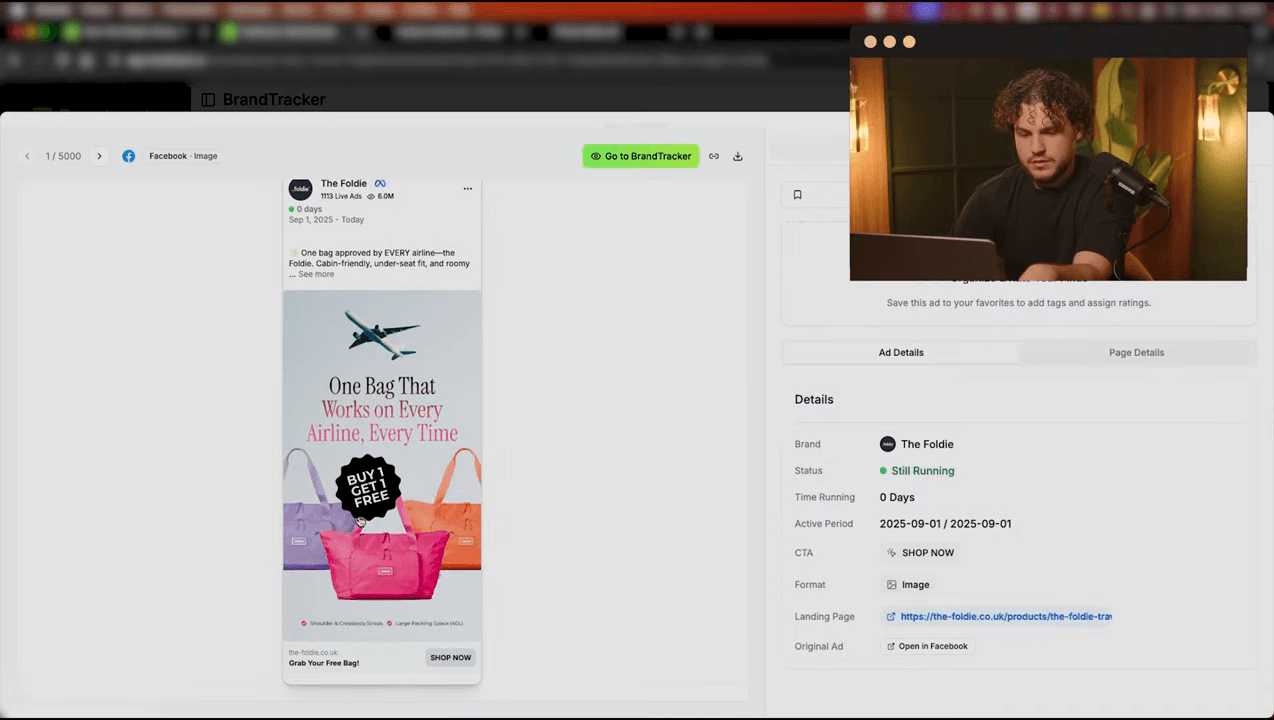
- Hook patterns (what catches attention in the first 3 seconds)
- Product demonstration techniques
- Call-to-action phrasing and placement
- Offer structure (discount, bundle, free shipping)
See these features in action: Get 20% off your first plan →
Hooks and Scripts Extraction
One of Brand Tracker's standout features is the ability to extract hooks and scripts from competitor ads. This feature analyzes video ads and identifies:
- Opening hooks: The first words or visual elements designed to stop the scroll
- Script structure: Problem-agitation-solution, testimonial, before/after, etc.
- Key phrases: Recurring language patterns that indicate tested messaging
Use these as inspiration (not direct copies) for your own creative briefs. If three of your competitors all open with a pain-point question, that hook style is proven for your niche.
Demographics
Brand Tracker provides demographic insights into who sees the brand's ads. This includes target countries, age ranges, and gender splits where available. This data helps you understand your competitor's audience targeting strategy.
Folders and Organization
As your tracked brand list grows, organization becomes important. Brand Tracker supports folders to group competitors by category (direct competitors, aspirational brands, adjacent niches). You can also share tracked brands or folders with team members if you are on a collaborative plan.
Want to try this yourself? Start a free TrendTrack account →
Keyword Search in Tracker
Within your tracked brands, you can search by keyword to find specific ads or pages. This is useful when you want to see how all your tracked competitors are advertising around a specific product category, promotion type, or seasonal event.
The Advertisers Page
Beyond Brand Tracker, TrendTrack has a dedicated Advertisers page that shows aggregated data for Facebook pages. The columns include:
- EU/UK data: Real impression and spending estimates from the EU Ad Library
- Average daily impressions: How many impressions the page generates per day
- Average daily spending: Estimated daily ad budget
- Target countries: Which markets the page is advertising in
- Social followers: Follower count across platforms
This page is excellent for discovering new competitors you might not know about. Sort by daily spending to find the biggest advertisers in your niche. Curious how TrendTrack's competitor tracking compares to other tools? See our alternatives comparison. Then add the most relevant pages to your Brand Tracker for ongoing monitoring.
A Practical TrendTrack Brand Tracker Workflow
Here is a recommended weekly workflow for competitive intelligence:
- Monday: Check New Ads column for all tracked brands. Anything new? Investigate immediately.
- Wednesday: Review daily impressions charts. Who is scaling? Who is cutting budget?
- Friday: Deep dive into one competitor's creative testing tab. Extract hooks and scripts for your weekend creative planning.
- Monthly: Review your tracked brand list. Remove dead brands, add new competitors discovered through product research.
Ready to find your next winner? Try TrendTrack free - no credit card needed →
Common Brand Tracker Mistakes to Avoid
Even experienced users make these errors when using Brand Tracker:
- Tracking too many brands: Quality over quantity. Tracking 50 brands means you never analyze any of them deeply. Start with 5-10 direct competitors and expand only when you have a solid monitoring routine.
- Only checking active ads: Inactive ads are just as valuable. They tell you what the competitor tested and abandoned. Understanding why an ad was killed teaches you as much as understanding why one succeeded.
- Ignoring the Media Mix trends: A single snapshot of media mix is not very useful. The value comes from tracking how it changes over time. If a competitor shifts from 50% video to 80% video over two months, that tells you video is dramatically outperforming for their product category.
- Not using folders: Without organization, your tracker becomes a messy list. Create folders by niche, by competitive tier, or by product category. This makes your weekly reviews much more efficient.
- Forgetting about the Advertisers page: Many users only use Brand Tracker for brands they already know. The Advertisers page helps you discover brands you have never heard of by sorting all Facebook pages by daily spending or impressions in your target niche.
- Skipping the keyword search: Within your tracked brands, the keyword search lets you filter ads by specific terms. If you are launching a posture corrector, search “posture” across all tracked brands to instantly surface every relevant ad, even from brands you track for other products.
Conclusion
Brand Tracker transforms TrendTrack from a product research tool into a full competitive intelligence platform. By systematically monitoring your competitors' ad activity, creative strategy, and spending patterns, you can make faster and better-informed decisions. The key is consistency: check your tracker regularly, extract actionable insights, and apply them to your own strategy. Remember to track all Facebook pages per store, use the Creative Testing tab to detect automated campaign strategies, and leverage the Hooks and Scripts feature to accelerate your creative process.
Ready to unlock Brand Tracker? Compare TrendTrack plans to find the one that includes it. For quick answers, browse our TrendTrack FAQ. And if you want a free entry point into TrendTrack, install the free Chrome extension first.

Colin
E-commerce operator and tool tester since 2020. I run product research and paid media every day, then write up what these platforms actually do once the demo is over. Every review here is based on weeks of real use, paid for out of my own pocket.