
How to Spy on Any Shopify Store with TrendTrack: Traffic, Products & Ads
How to Spy on Shopify Stores with TrendTrack: Everything You Can Access in 2026
The ability to spy on Shopify stores - their traffic, top-selling products, ad creatives, and tech stack - used to require stitching together four different tools and a lot of guesswork. TrendTrack consolidates it into a single workflow: start with the free Chrome extension for a quick surface-level read, then move into the full platform for the deep intelligence that actually drives decisions.
This guide covers the complete workflow: what data you can access at each level, how to interpret it correctly, and what to do with what you find.
Step 1: Install the Free Chrome Extension
TrendTrack's Chrome extension is the fastest entry point for Shopify competitor research. It's free, rated 4.9/5 with over 10,000 users, and activates on any Shopify store URL.
What the extension reveals
| Data point | What it tells you |
|---|---|
| Store creation date | Context for how fast it's growing |
| Shopify theme | Worth testing if it's converting well for them |
| Country | Signals operator type (brand vs dropshipper) |
| Monthly traffic (3 months) | Traffic trend - growing, stable, or declining? |
| Growth % | Month-over-month growth rate - most actionable metric |
| Top products | Best sellers + most recently added products |
| Shopify apps installed | Proxy for revenue level and operational sophistication |
| Pixels | Which ad platforms they're actively tracking |
| Ad library link | Direct jump to their active ads in TrendTrack |
| Social links | Their active social channels for creative research |
The full Chrome extension guide covers all seven free tools available alongside the extension.
Step 2: Read and Interpret the Store Data
The traffic multiplier
TrendTrack's traffic figures represent roughly one-third of actual traffic. Apply the ×3 multiplier before forming any opinion about a competitor's scale:
- Store showing 50,000/mo → approximately 150,000 real monthly visitors
- Store showing 100,000/mo → approximately 300,000 real monthly visitors
Revenue estimation
- Conservative benchmark: ~$1 per adjusted visitor on an optimized store
- Standard CR: 2.5% for a well-optimized Shopify store
- Formula: Adjusted traffic × 0.025 = estimated monthly orders
A store showing 80,000 visits in TrendTrack → 240,000 real visitors → roughly $240,000/month. Directional estimates, not projections.
App stack intelligence
Triple Whale ($100+/month), Trackify, and Parcel Panel are the three apps that most reliably signal a serious operator. A store with all three installed is almost certainly generating six figures monthly. Cross-reference app stack with growth rate - a store growing 300% month-over-month with Triple Whale installed isn't getting lucky.
Pixel data
Pixels reveal which ad platforms the store is actively tracking. Meta pixel only = Facebook/Instagram campaigns. Meta + TikTok pixel = multi-channel paid strategy. This tells you where to look for their ads.
Want to try this yourself? Start a free TrendTrack account →
Step 3: Deep-Dive in TrendTrack's Full Platform
The Chrome extension gives you the surface read. The full TrendTrack platform is where you get the intelligence needed to make decisions: which specific ads are running, what impressions look like in the EU and UK, how their traffic has shifted over time.
The Advertisers profile
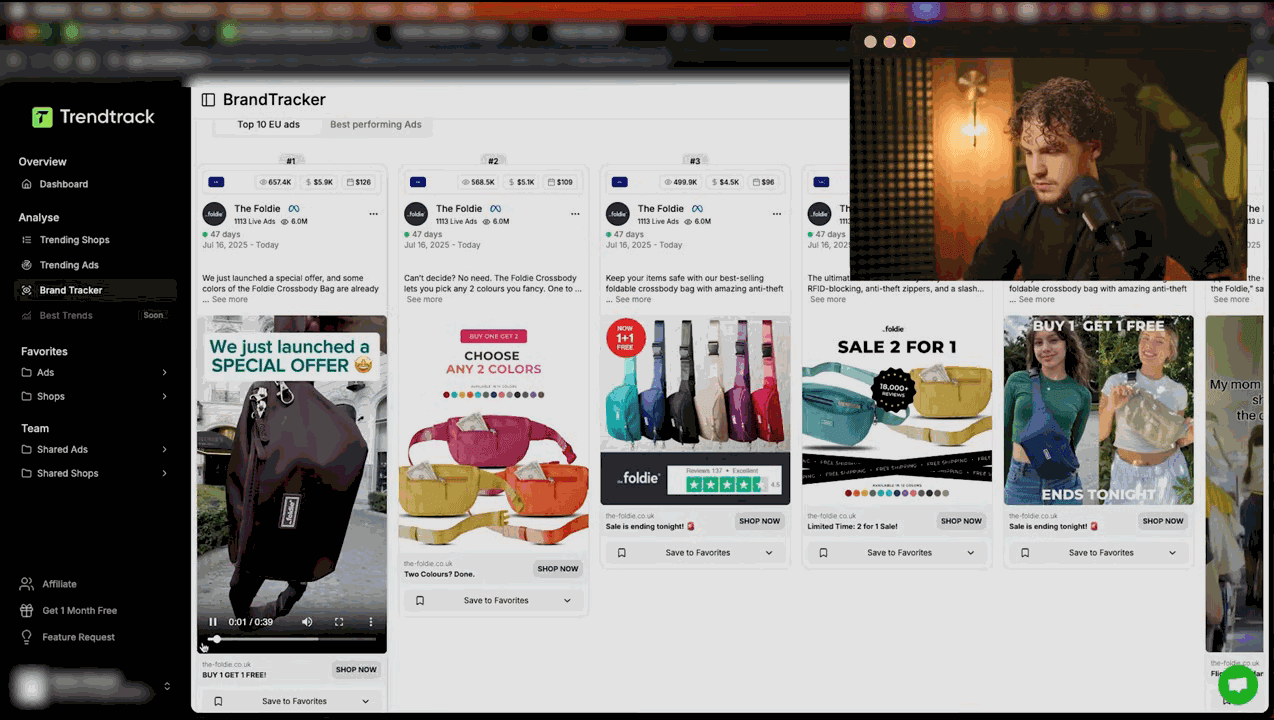
Clicking the ad library link in the extension opens the full advertiser profile in TrendTrack, which includes:
- Active vs inactive ad count
- EU ad % - share of spend targeting EU markets
- Total impressions - cumulative reach
- Estimated spend
- 14-day daily averages - ramping up or pulling back?
- Geographic targeting
Impression benchmarks
TrendTrack's EU/UK impression data comes from Meta's Digital Services Act transparency obligations - no other spy tool has this data source.
| Impression range (per ad) | What it signals |
|---|---|
| Under 200,000 | Testing phase - not yet confirmed profitable |
| 200,000 - 500,000 | Likely winner - advertiser is scaling this creative |
| 500,000 - 1,000,000 | Strong performer - proven at scale |
| 1,000,000+ | Super winner - study this creative in detail |
An ad running 7+ days with 500,000+ impressions is almost certainly profitable. Meta stops spending on losing ads within days. For step-by-step creative analysis, see the ad creative analysis guide.
Comparing approaches
The combination of Shopify store database + EU impression data + Chrome extension makes TrendTrack's approach meaningfully different from alternatives. For a head-to-head comparison, see TrendTrack vs Minea or the broader spy tool alternatives comparison.
A Practical TrendTrack Research Session
- Browse a competitor's Shopify store - activate the extension for an instant read
- Note traffic trend, growth %, and app stack
- Check their top products - what are they pushing hardest right now?
- Jump to their TrendTrack advertiser profile - filter by active ads with 200K+ impressions
- Identify their 2-3 best-performing creatives - note hooks, formats, and offers
- Use Brand Tracker to get alerts when they launch new ads or products
This workflow takes 15-20 minutes per competitor and gives a detailed picture of what's working in your niche right now.
Plans and Access
The Chrome extension is free. Full platform access - including the advertiser profile, EU impression data, and Brand Tracker - starts at $59/month on the Starter plan. Our complete TrendTrack review breaks down exactly what each plan unlocks. There's also a TrendTrack promo code available for first-time subscribers.

Colin
E-commerce operator and tool tester since 2020. I run product research and paid media every day, then write up what these platforms actually do once the demo is over. Every review here is based on weeks of real use, paid for out of my own pocket.