
How to Analyze Winning Ad Creatives with TrendTrack
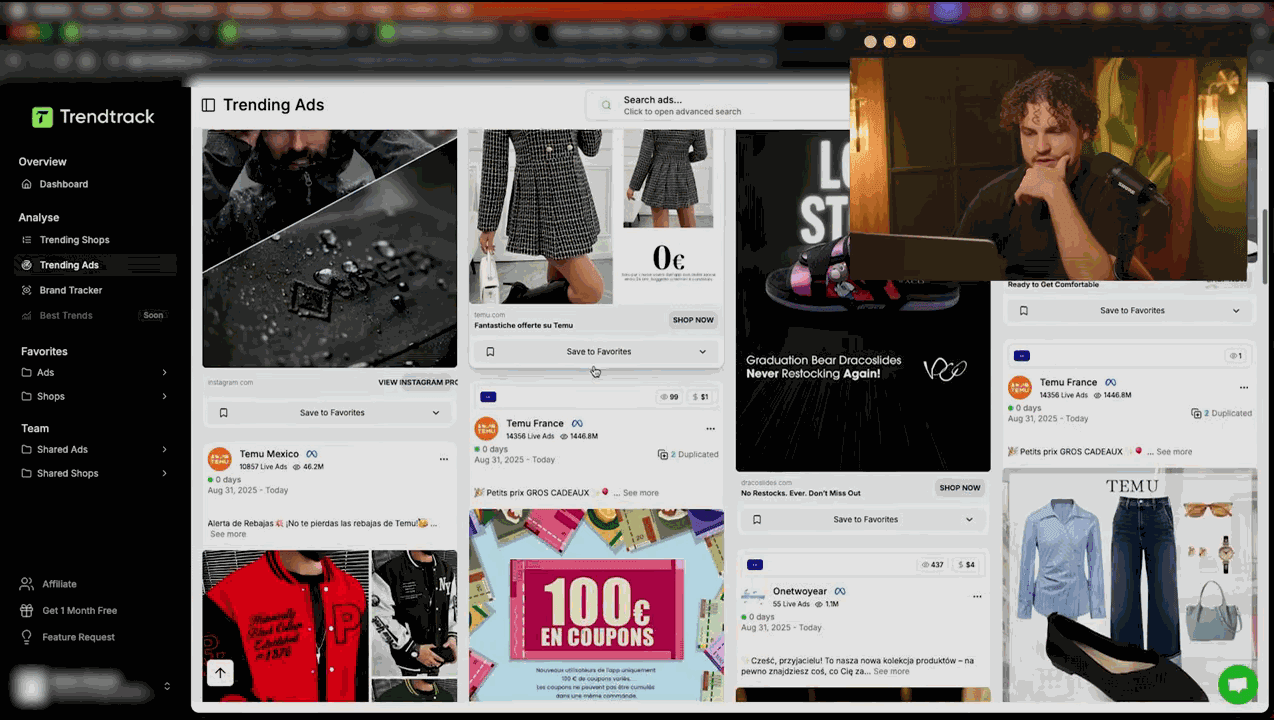
Why Creative Analysis Is More Valuable Than Product Research Alone
Finding a winning product is step one. Knowing how to sell it is what separates profitable stores from failed launches. The same product can flop with bad creatives and print money with great ones. TrendTrack's ad intelligence - over 250 million ads across Meta, TikTok, and more - lets you reverse-engineer exactly what makes winning creatives work.
In our TrendTrack review, we covered the platform's full capabilities. This tutorial focuses on one skill: using TrendTrack's ad analysis features to deconstruct winning creatives so you can replicate their success with your own products.
Step 1: Filter TrendTrack for Winning Ads
Before you can analyze creatives, you need to surface the right ones. Navigate to the Ads tab and apply these filters to eliminate noise and surface proven performers:
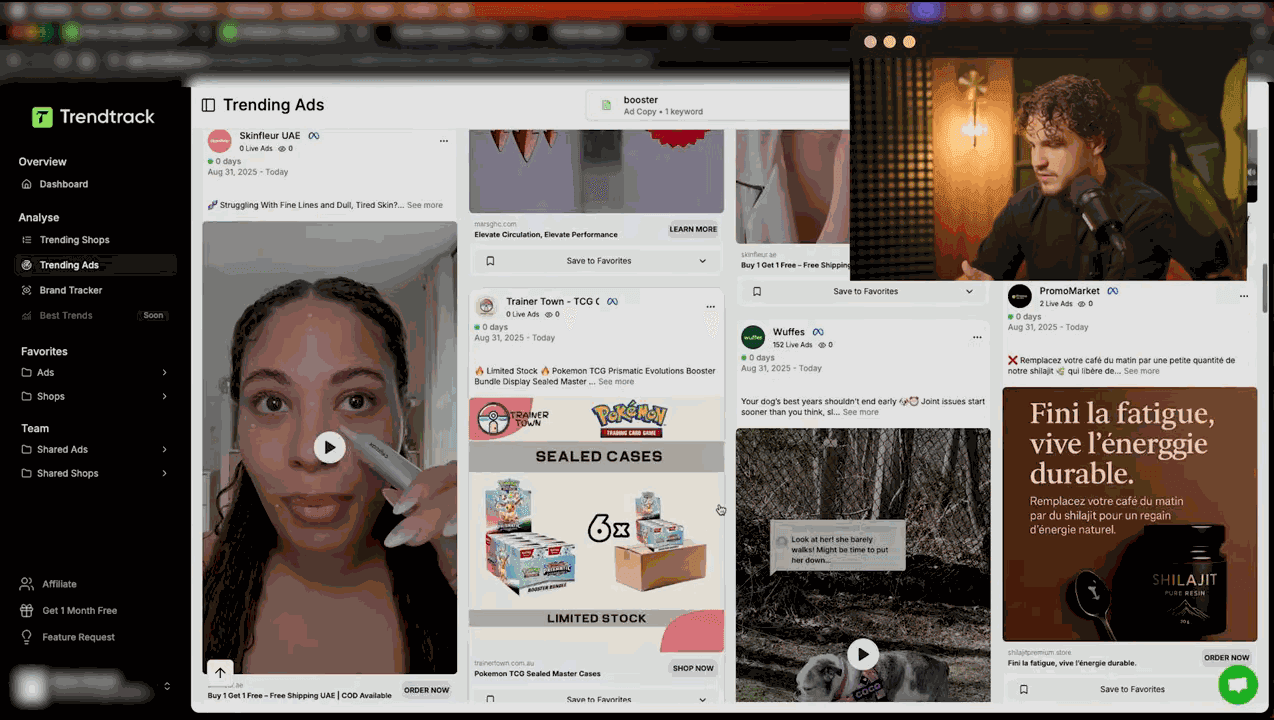
- Status: Active only - you want ads that are currently spending money
- Active Since: 14+ days. An ad running for two weeks is almost certainly profitable. The advertiser would have killed it otherwise
- Media Type: Video. Over 85% of winning e-commerce ads are video. Image ads can work, but start your research with video
- Hide Low Impressions: Enabled. This removes testing ads that never gained traction
- Technology: Shopify - keeps your results focused on e-commerce stores you can study and replicate
For a complete breakdown of every available filter and advanced recipes, see our complete filters guide.
Sorting for Quality
Sort by Ad Rank (descending) to see the highest-performing ads first. TrendTrack's Ad Rank factors in impressions, longevity, and engagement - a more reliable indicator than raw impression count alone.
Step 2: Reading the TrendTrack Ad Detail View
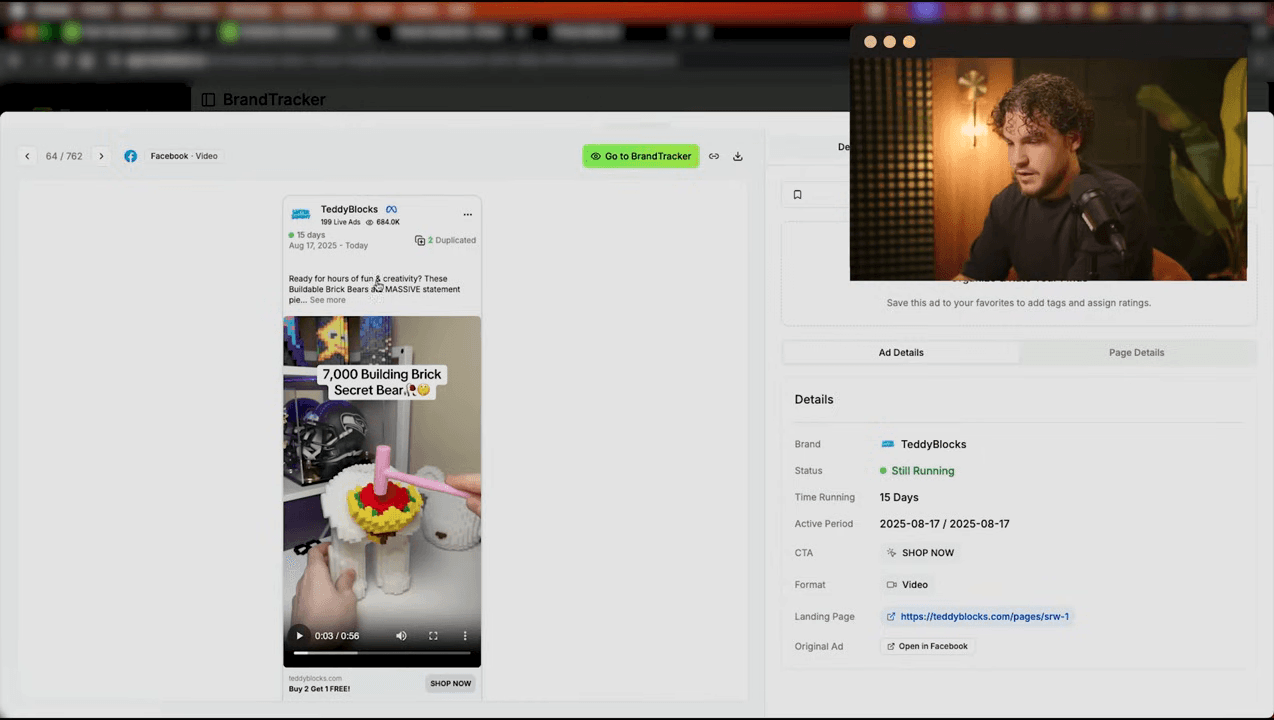
Click any ad to open the detail view. This is where TrendTrack reveals everything about the creative's performance and context.
Key Metrics to Check
- Active days: How long the ad has been running continuously. 30+ days = strong winner. 60+ days = evergreen creative
- Status: Confirm it is still Active. Some ads cycle on and off - check if the ad has been paused and restarted
- Impressions (EU/UK): Real impression data from the EU Ad Library. Use the benchmarks from our winning products guide: 200K-500K = likely winner, 500K-1M = strong performer, 1M+ = super creative
- Associated store: Click through to the Shopify store to validate the product. Check traffic growth, product count, and installed apps
The Cross-Reference Trick
Use TrendTrack's tab system (Ads → Page → Shop) to build a complete picture. A single ad might look impressive, but if the store behind it has declining traffic, the product may be past its peak. Conversely, a modest ad linked to a fast-growing store could signal an emerging winner.
Want to try this yourself? Start a free TrendTrack account →
Step 3: Understanding the Duplication Metric
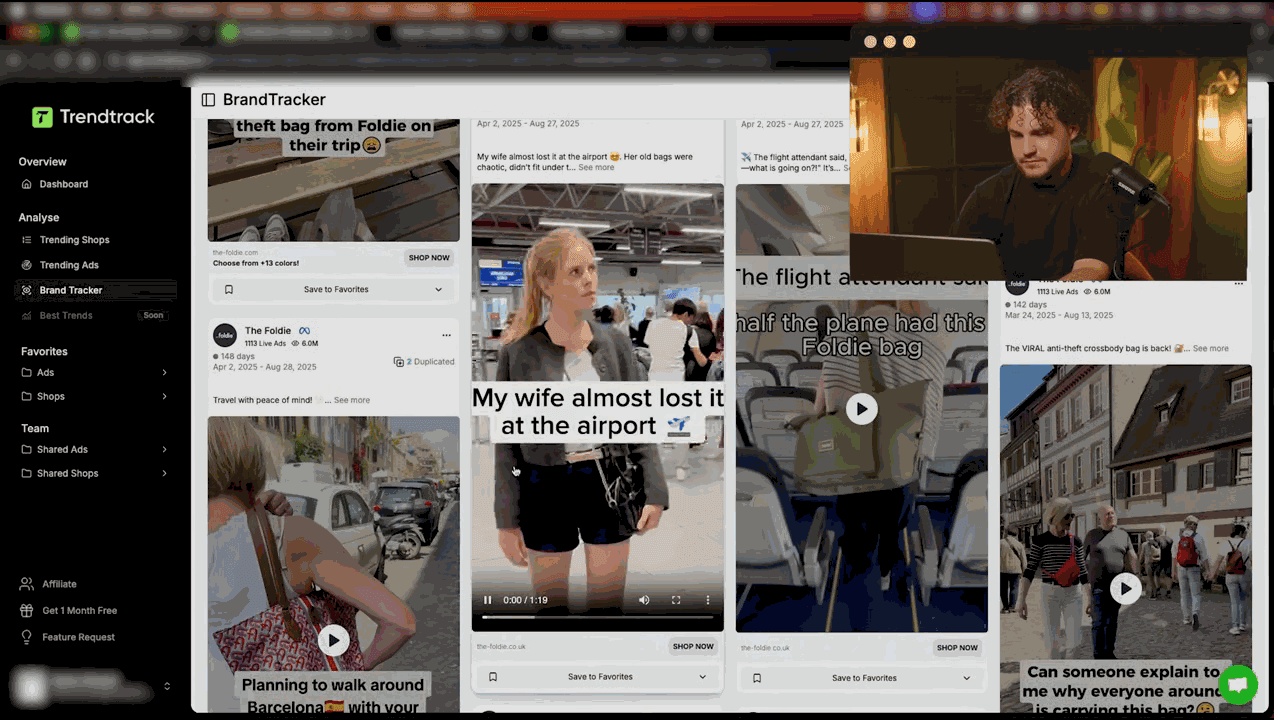
Duplication count is one of TrendTrack's most underrated data points - and one that no other tool surfaces as clearly.
What Duplication Tells You
When TrendTrack shows a high duplication count, it means multiple advertisers are running the same or very similar creative. This is a powerful signal:
- Low duplication (1-3): Original creative. The product may be new or the advertiser has a unique angle. This is the ideal scenario - you are among the first to spot it
- Medium duplication (4-10): The creative is proven and being copied. The product is validated but competition is building. Move fast if you want to enter
- High duplication (10+): The market is saturated with this exact creative. The product may still work, but you need a different creative angle to stand out. Do not copy the same ad - differentiate
How to Use Duplication Strategically
The sweet spot for product entry is medium duplication: enough copies to prove the creative works, but not so many that audiences have ad fatigue. When you find a high-duplication creative, study the original - it usually has the most impressions - then create your own version with a different hook, different footage, or a different angle.
Step 4: Extracting Hooks and Scripts
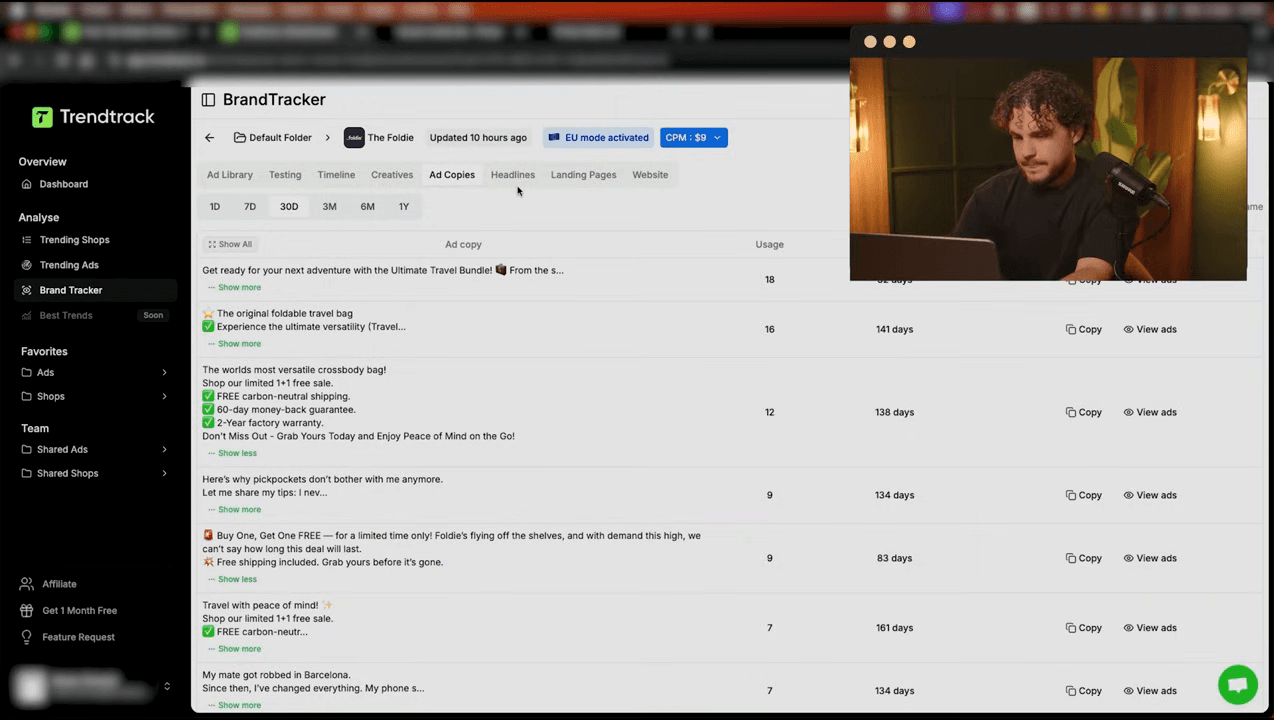
This is where creative analysis turns into creative creation. TrendTrack's hook and script extraction feature breaks down winning video ads into their component parts.
The 3-Second Rule
In e-commerce advertising, you have approximately 3 seconds to stop the scroll. The hook - the opening moment of a video ad - determines whether someone watches the rest or keeps scrolling. TrendTrack identifies the hook text and visual elements of winning ads, giving you a template to work from.
Common Hook Patterns in Winning Ads
After analyzing hundreds of winning ads on TrendTrack, these hook patterns appear most frequently:
| Hook Type | Example | Best For |
|---|---|---|
| Pain point question | “Tired of tangled cables?” | Problem-solving products |
| Bold claim | “This replaced my $200 tool” | Value-proposition products |
| Social proof | “50,000 sold in 3 months” | Trending products |
| Visual demonstration | Product doing something surprising | WOW-factor products |
| Before/after | Split-screen transformation | Beauty, cleaning, fitness |
Script Structure
Beyond the hook, TrendTrack shows the full script breakdown. Most winning e-commerce ads follow a simple structure:
- Hook (0-3s): Grab attention
- Problem (3-8s): Describe the pain point
- Solution (8-15s): Introduce the product
- Proof (15-25s): Show it working, testimonials, or data
- CTA (25-30s): “Shop now”, “Link in bio”, “50% off today”
Use this framework with the specific language and phrasing you extract from TrendTrack's winning ads. Don't copy scripts word-for-word - adapt the structure and hooks to your product and brand voice.
Step 5: Analyzing Landing Pages
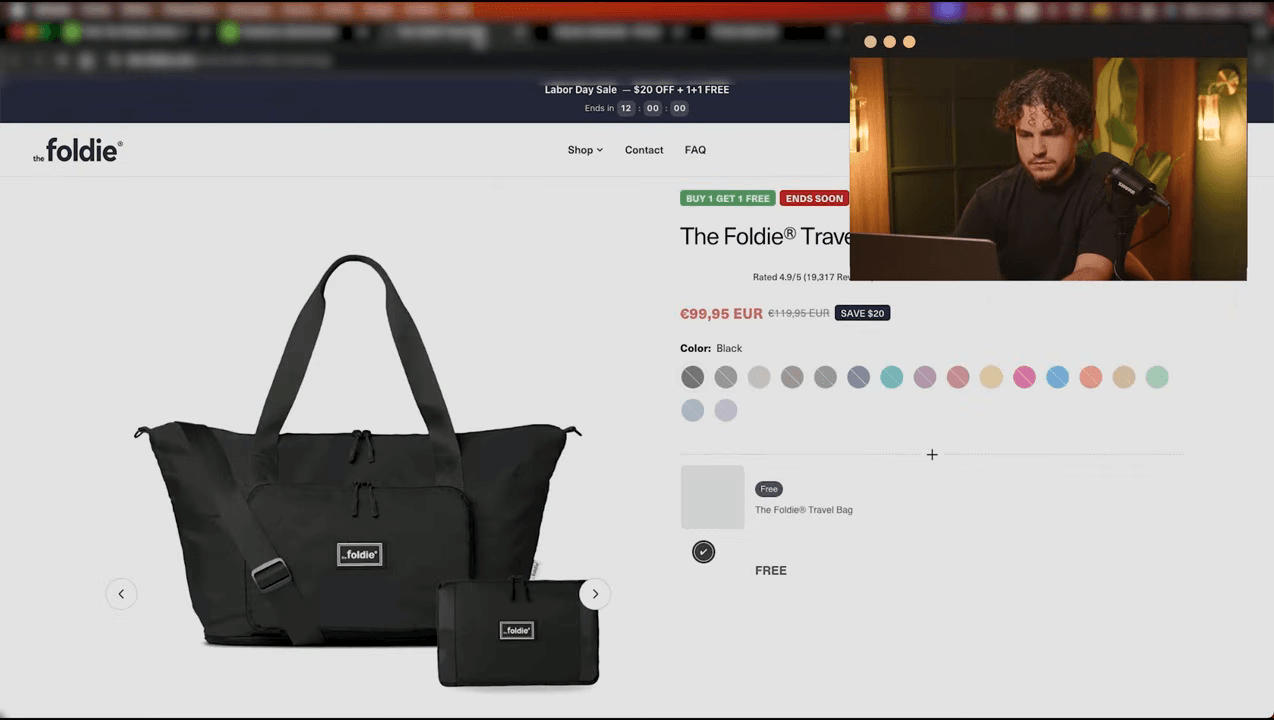
A winning creative drives clicks. A winning landing page drives conversions. TrendTrack links every ad to its destination page, letting you study the full funnel - not just the ad.
What to Look For
- Product page vs. collection page: Does the ad send traffic to a specific product or a broader collection? Winning ads almost always link to a dedicated product page
- Price point: What is the advertised price? Cross-reference with your sourcing cost to estimate margins
- Offer structure: Is there a discount? Bundle deal? Free shipping threshold? These elements directly impact conversion rate
- Social proof on page: Reviews, user photos, trust badges. Count them - successful stores typically show 50+ reviews on their best sellers
- Page layout: Does the page have a video? GIF demonstrations? Comparison sections? The landing page structure tells you what information customers need before buying
Combine this landing page analysis with the TrendTrack Chrome extension. Visit the landing page, activate the extension, and instantly see the store's traffic data, installed apps, and tech stack - giving you a complete competitive picture.
Ready to find your next winner? Try TrendTrack free - no credit card needed →
Your Weekly TrendTrack Creative Research Workflow
Ad creative research should be a regular habit, not a one-time activity. Here is a practical weekly routine:
- Monday - Trend scan (15 min): Open TrendTrack's Ads tab with the winning ad filters. Scan the top 20 results. Save any interesting creatives to a swipe file
- Wednesday - Deep analysis (30 min): Pick 3-5 saved ads. Open their detail views. Extract hooks and scripts. Analyze landing pages. Note duplication counts
- Friday - Creative brief (20 min): Based on your analysis, write 2-3 creative briefs for your own ads. Include: hook type, script structure, visual references, and offer angle
If you are also using Brand Tracker, combine your creative research with competitor monitoring for a complete intelligence workflow.
Common Creative Analysis Mistakes
- Copying creatives verbatim: Duplicating someone's exact script and visual style is lazy and ineffective. Audiences recognize recycled ads. Use TrendTrack for inspiration and structural patterns, then create original content
- Ignoring the landing page: A great ad with a terrible landing page still fails. Always analyze the complete funnel
- Only looking at mega-winners: Ads with 1M+ impressions are interesting to study, but the best opportunities are ads with 200K-500K impressions that are still scaling. These products are validated but not yet saturated
- Not tracking over time: A single snapshot tells you what is working now. Regular research shows you trends - which hook styles are emerging, which product categories are heating up, which creative formats are gaining traction
From Research to Results
Finding winning products is table stakes. Finding and understanding winning ad creatives is what gives you a real competitive edge. TrendTrack's combination of ad filters, impression data, duplication metrics, hook/script extraction, and landing page analysis provides a complete creative intelligence toolkit.
Start with the filter recipe in this guide. Pick 3 winning ads this week. Extract the hooks, study the scripts, analyze the landing pages. Within a month of consistent creative research, you will develop an intuition for what works - and that intuition is worth far more than any single product find.
For TrendTrack pricing and features, read our complete TrendTrack review or compare plans. New to TrendTrack? The free Chrome extension is the best place to start. Looking for alternatives? See our honest comparison. Have questions? Check our TrendTrack FAQ.

Colin
E-commerce operator and tool tester since 2020. I run product research and paid media every day, then write up what these platforms actually do once the demo is over. Every review here is based on weeks of real use, paid for out of my own pocket.