
How to Find Shopify Stores in Any Niche with TrendTrack (2026 Guide)
How to Find Shopify Stores in Any Niche with TrendTrack
Knowing how to find Shopify stores in your target niche is one of the highest-leverage research moves in e-commerce. Whether you're validating a niche before entering it, mapping out your competitive landscape, or hunting for inspiration, TrendTrack's Trending Shops database gives you direct access to roughly 5 million Shopify stores - updated daily - with filters no manual search can replicate.
This guide walks through the exact process: which filters to set, how to use the Shop Origin trick, how to read app stacks, and how to validate what you find with a rough revenue estimate.
Step 1: Set Your Core TrendTrack Filters
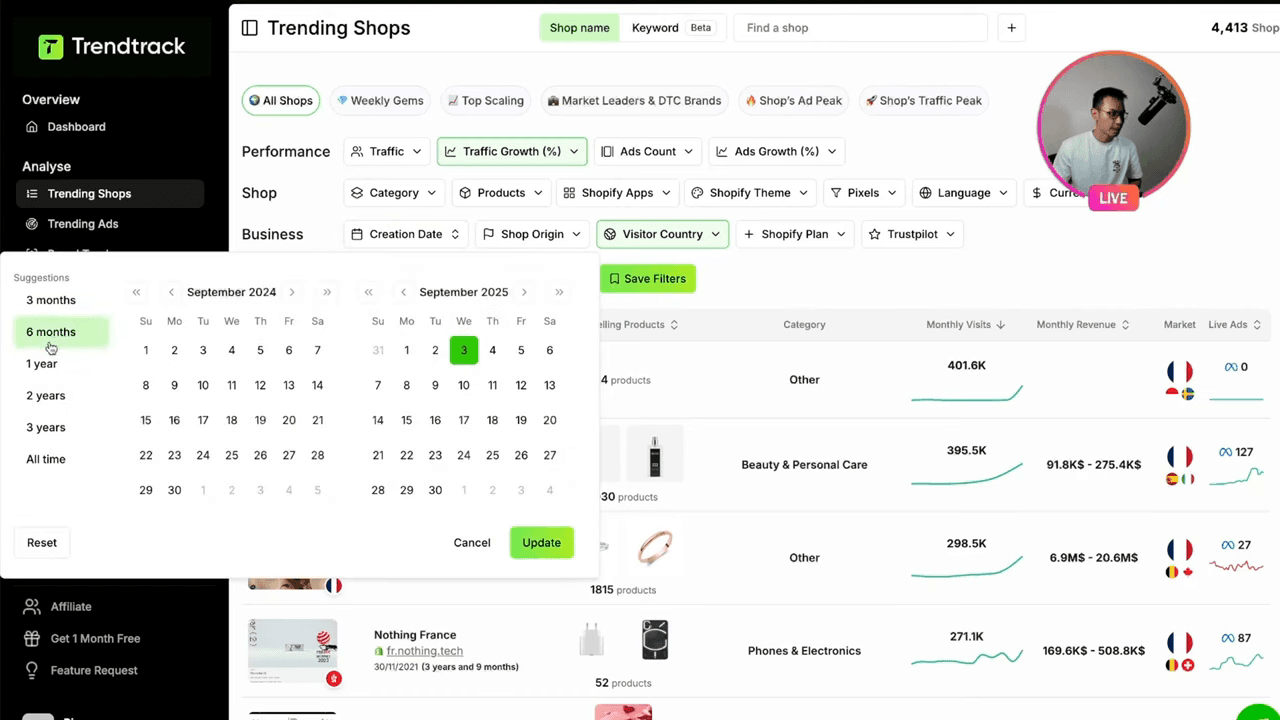
Open TrendTrack and navigate to Trending Shops. By default you see the full database. The goal is to narrow it to stores that are active, growing, and relevant to your niche - not just any store with a Shopify subscription.
The recommended starting filter combination
| Filter | Recommended value | Why |
|---|---|---|
| Monthly traffic (min) | 40,000 | Eliminates ghost stores and very early-stage shops |
| Monthly traffic (max) | 300,000 | Filters out Shopify Plus giants - keeps dropship/DTC range |
| Growth rate | 200%+ | Flags stores scaling fast right now |
| Active ads (min) | 30 | Confirms paid traffic spend - not organic-only stores |
| Product count (max) | 150 | Keeps results in dropship/focused DTC territory |
| Keyword | Your niche term | Matches store name, domain, or product descriptions |
The keyword field supports multi-keyword search using a semicolon separator. For example: yoga;pilates;wellness returns stores matching any of those terms. This is useful when a niche has multiple common naming conventions.
Using the pre-made segments
If you'd rather start with a curated view, TrendTrack offers five pre-made segments in the Trending Shops section:
- Weekly Gems - new stores gaining momentum in the last 7 days
- Top Scaling - highest recent growth rates across the database
- Market Leaders & DTC Brands - established stores with strong traffic
- Top Ad Count - stores running the most active ads
- Top Traffic - raw traffic leaders
For niche research, Weekly Gems paired with your keyword filter is the most efficient combination: it surfaces stores that just started scaling, meaning you're seeing trends early rather than chasing saturated plays.
Step 2: Use the Shop Origin Filter
The Shop Origin filter is one of TrendTrack's most underused features for product validation. It filters stores by the country where the Shopify account is registered - and certain countries are strongly correlated with dropshipping operations.
Shop Origin signals by country
| Shop Origin country | What it typically signals |
|---|---|
| Hong Kong | Dropshipping - often sourcing directly from Chinese suppliers |
| Indonesia | Dropshipping - common for Southeast Asia-based operators |
| Thailand | Dropshipping - regional operators selling to Western markets |
| UAE | Dropshipping or cash-flow arbitrage operations |
| US / UK / FR | More likely to be DTC brands or private label |
If you're doing dropship product research, filtering to HK + Indonesia + Thailand shows you which products dropshippers are currently scaling - these stores run lean and only push budget behind what converts. If you're building a DTC brand and want to understand your real competition, switch the filter to your target market country.
This trick alone saves hours of manually checking each store's About page or supplier links. Want more on competitive intelligence at the ad level? The guide to analyzing winning ad creatives covers what to do once you've identified these stores.
Want to try this yourself? Start a free TrendTrack account →
Step 3: Analyze App Stacks
Once you have a shortlist of stores, TrendTrack shows the Shopify apps each store has installed. This is arguably the most powerful signal available - apps cost money, and serious operators only install tools that justify their cost.
App stack signals to look for
| App | Monthly cost (approx.) | What it signals |
|---|---|---|
| Triple Whale | $100+/mo | Serious operator - tracking revenue attribution at scale |
| Parcel Panel | Variable | High order volume - they need tracking at scale |
| Trackify | - | Serious paid traffic operator - advanced pixel management |
A store with Triple Whale installed is spending enough on ads to justify a $100/mo analytics tool. That's not a side project. A store running Parcel Panel is processing enough orders that standard Shopify order tracking becomes a bottleneck. These app installs are a proxy for revenue and scale that traffic numbers alone can't give you.
When you find two stores in the same niche - same products, similar traffic - and one has a heavy app stack while the other doesn't, the one with Triple Whale + Trackify is almost certainly the more serious operator worth studying closely.
To understand the full picture of what TrendTrack reveals about each store, see the winning products tutorial - it covers how to go from store discovery to specific product validation.
Step 4: Validate with a TrendTrack Revenue Estimate
TrendTrack shows traffic data for each store, but the raw number understates reality. TrendTrack's traffic readings represent roughly one-third of actual traffic - so a store showing 50,000 monthly visitors is likely seeing around 150,000 real visitors.
Quick revenue estimation formula
- Adjusted traffic = TrendTrack traffic × 3
- Conversion rate benchmark: 2.5% (typical for an optimized Shopify store)
- Monthly orders estimate = adjusted traffic × 0.025
- Revenue estimate: approximately $1 per adjusted visitor on an optimized store
Example: A store showing 80,000 visits/month in TrendTrack → ~240,000 real visitors → ~$240,000/month at the $1/visitor benchmark. These are directional estimates, not financial projections - but they help you prioritize which stores are worth deeper research.
Reading the Saturation Signal
Finding a store selling a product you like is exciting. Finding 30 stores all selling the same product is a warning sign. When TrendTrack surfaces more than 30 stores in the same niche with the same product, that market is crowded. You're looking at a product in the exploitation phase, not the discovery phase.
The sweet spot for entry is typically 5-15 stores actively scaling a product. Enough to confirm demand exists, not so many that CPC has been bid up and creatives are stale.
If you want to understand how ad saturation works at the impression level, the Brand Tracker guide covers how to monitor when competitors are ramping or pulling back spend.
Ready to find your next winner? Try TrendTrack free - no credit card needed →
Best Time to Run Niche Research
TrendTrack's data is updated daily, but the freshest batch of competitive intelligence appears between the 5th and 12th of each month. This is when the previous month's ad performance data fully propagates. Running your niche research in this window means you're working with the most current signals.
Combining Store Research with Ad Intelligence
Finding stores in a niche is the first layer. The second layer is understanding what ads those stores are running and whether they're working. TrendTrack's ad library integrates directly with the store database - once you've identified a store, you can jump directly to its ad library and filter by active ads, impressions, and EU/UK performance data. No other tool has EU impression data sourced from Meta's Digital Services Act transparency obligations.
For the full workflow from store discovery to ad analysis, the complete filter guide covers every filter combination available.
Getting Started
The Trending Shops feature is available on all TrendTrack plans. The Starter plan at $59/month gives you full access to the store database with all filters. If you're not ready to commit, TrendTrack's free Chrome extension lets you run individual store checks without a subscription. See our full TrendTrack review for a breakdown of all features, or check the alternatives comparison if you want to see how TrendTrack's store database stacks up before committing.

Colin
E-commerce operator and tool tester since 2020. I run product research and paid media every day, then write up what these platforms actually do once the demo is over. Every review here is based on weeks of real use, paid for out of my own pocket.